
Logic app user guide
Response
Responses are actions only used by requestable Logic app – which start with When an HTTP request is received trigger. They define the answer which is sent back to the caller.
Every workflow of actions or every branch of a workflow of action should end with a response action.
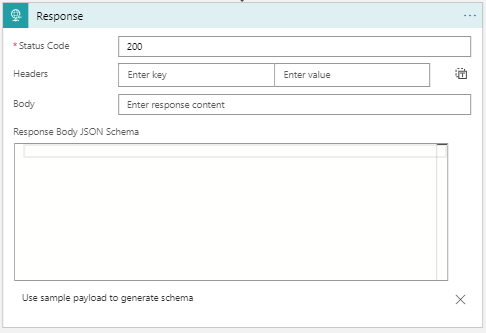
This action is divided into three main sections.
Status code
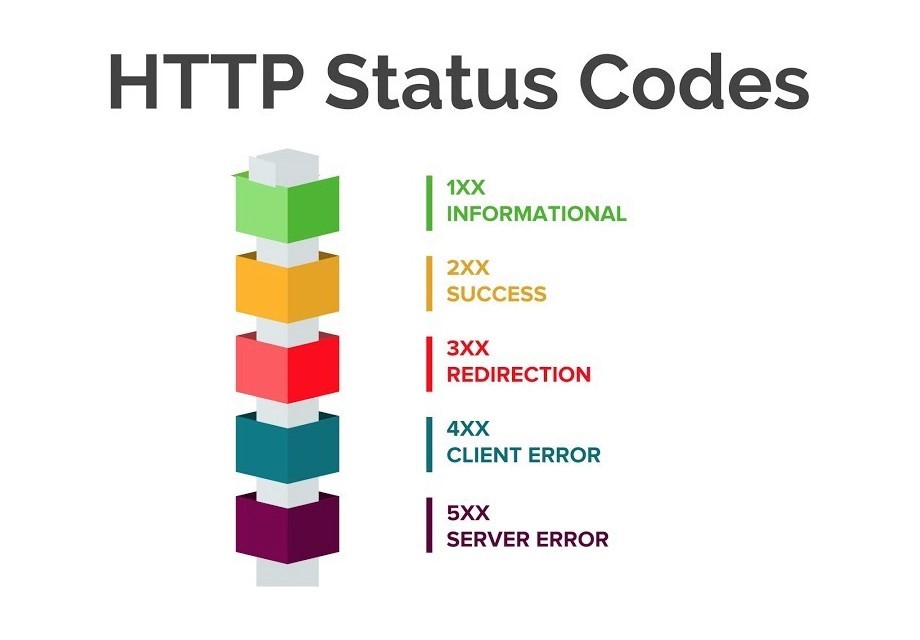
Status codes indicate whether the HTTP request has been completed or not. It provides a code between 100 & 500 that corresponds to a particular message. Each hundred carries a different meaning. To transcript those codes, you can refer to an HTTP status code table.
For example, if the client makes a call to create a new user on a specific application, and it succeeds, the response status code should be 201 – Created. But if the client does not give enough information to create the user correctly, the response will be 400 – Bad request.
Headers
HTTP headers let the client and the server pass essential information. They are crucial – but short – bits of information. It can be the date, an ID or the content-type.
Body
Response action send back defined message, a body. It can be provided in multiple formats, the most used one being: JSON. For a better understanding of the response by the caller, it is strongly recommended to use JSON objects as responses.