
Logic app user guide
Trigger

Azure proposes several possibilities to trigger a Logic app (new twitter post, approval of a new SharePoint file, etc.).
The Data platform – using Logic apps as middleware – mostly induce the use of the HTTP request is received trigger, but other triggers such as Recurrence can be used.
A much more complete description of Logic apps’ triggers is available in Microsoft documentation.
When an HTTP request is received
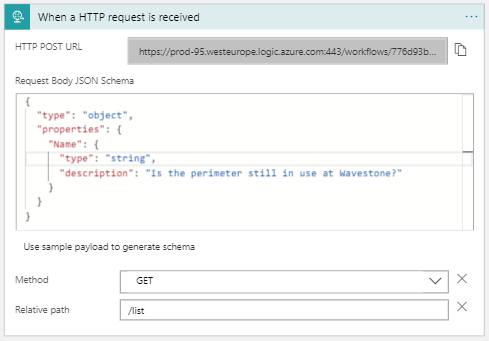
“When an HTTP request is received,” triggers a Logic app when receiving a specific HTTP request. For example, to call it as a backend of an API.
To use this trigger, the following fields need to be informed:
HTTP Post URL:
This is the request link of the trigger. In our case (Logic app as APIs’ backend), it provides an address for the API’s routes to call the Logic app.
Azure automatically provides it. When you open a new Logic app, the field is empty, it will be computed when saving and refreshing your Logic app.
Request Body JSON schema
This section indicates the schema of the body which the Logic app expects. It has to be filed with a proper JSON schema that describes the different information you’ll want to send to your Logic app through the body of your HTTP request.
This section is important – in the Data Platform – but not mandatory. If you want your Logic app to be triggered when we call the HTTP post URL but do not wait for a body: let the field empty. In the data platform context, the body received by the Logic app is generally the same as the body received by the API.
Optional information
Two more fields can be informed:
Method: notifies of the required HTTP verb to use to call the Logic app. By default, it is set to any.
Path: add a text to the end of the HTTP Post URL. By default, it is empty.
Example
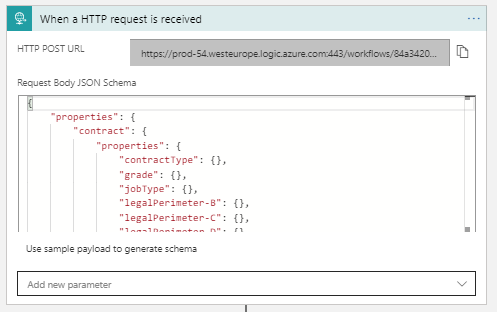
An early case of the Data Platform was to provision users on Smart Recruiter – a software used for the recruitment process of Wavestone candidates. The data about users (name, email, etc.) are retrieved in Wavekeeper, employee’s table. To do so, an API “PUT create employees” was implemented. Its back-end is a Logic app.
This Logic app needs to receive in its body all information concerning the employee it has to create. To do so, the field Request Body JSON Schema is filed with the Employee object schema. Thus, the Logic app knows it waits for such an object and provides the tools (dynamic content) to use the different properties of the awaited JSON.